Back to EAC Technologies

CNC Software · EAC Technologies

From drawing to program for CNC routers, laser, plasma, CNC lathes and stone and marble machines.

At startup, select your machine. AlphaPilot Pro loads the appropriate machining operations, parameters, postprocessor and manual for the selected machine.

  • AlphaPilot Pro
  • AlphaPilot Start
  • ForgeCAM
  • Render
  • Transform
AlphaPilot Pro · Prepare the drawing
STEP ARD / DXF PDF
AlphaPilot Pro
Part3.xxl _LAVORATO.ard _SCHEDA.txt

› Reading STEP... piece 2725 × 447 × 40 mm

~1 minfor a large part, from file to finished drawing
15+ready post-processors: OSAI, SCM Maestro and Xilog, NUM, Fanuc, Siemens, Heidenhain…
263operations regenerated without other programs: no gouging
0machine starts: you decide the first test

The programs

Four programs. A single workflow.

Drawing, CAM and 3D that communicate with each other. They can be purchased individually or together in the AlphaPilot Start and AlphaPilot Pro packages.

EAC AlphaPilot

Fully automatic

Reads part files and automatically creates the finished drawing according to the pantograph operator's rules: closed pockets for each depth, holes and slots, back, side holes and chamfers. Then it selects cutters, calculates toolpaths and verifies them.

  • From STEP, ARD, DXF or even just a dimensioned PDF
  • It doesn't guess what isn't safe: it asks you
  • Preview and report before creating the drawing
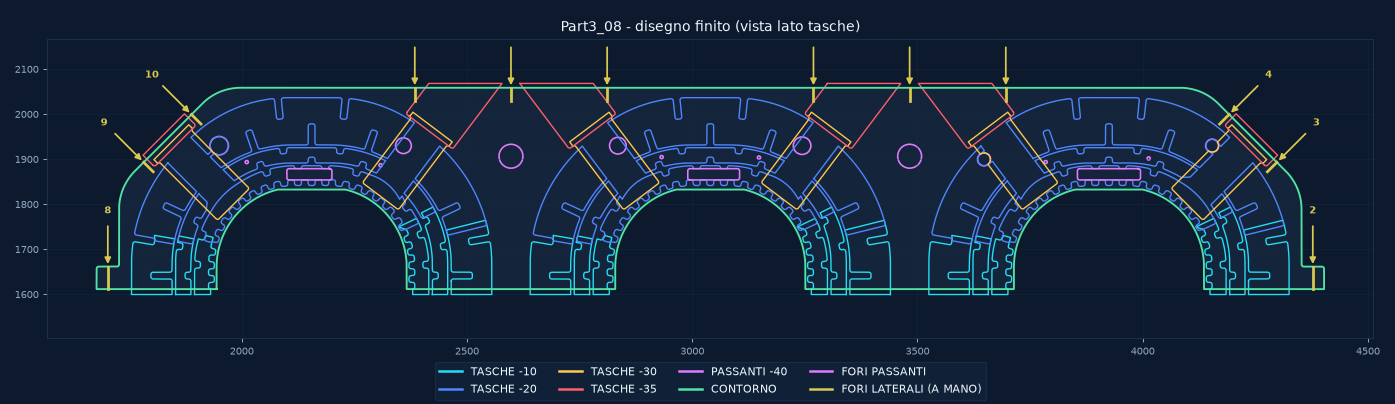
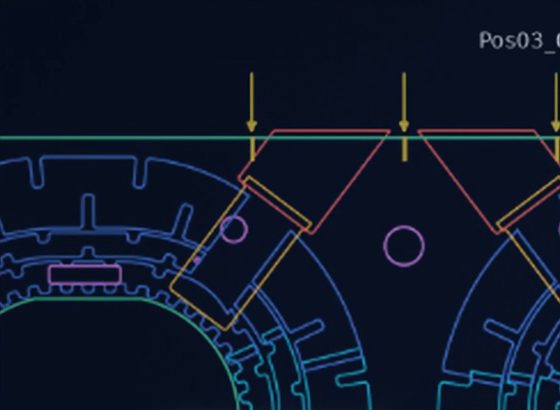
Finished part drawing: pockets on four depths, through holes, and arrows for side holes
Finished drawing prepared by AlphaPilot

EAC ForgeCAM

Complete CAD/CAM, no other program needed

To view, edit or create a drawing from scratch and machine it, with familiar menus and commands: layers, fast geometry, splines, engraved texts even in V-shape, manual machining operations, 3D models, clamps and suction cups, side holes on 5 axes. Drawing and CAM operations for each technology are summarized in the dedicated section.

  • Opens ARD, DXF and DWG from AutoCAD
  • Re-reads CNC programs (ISO, Heidenhain, Xilog) and simulates them
  • Macros, starting models, drawing printout
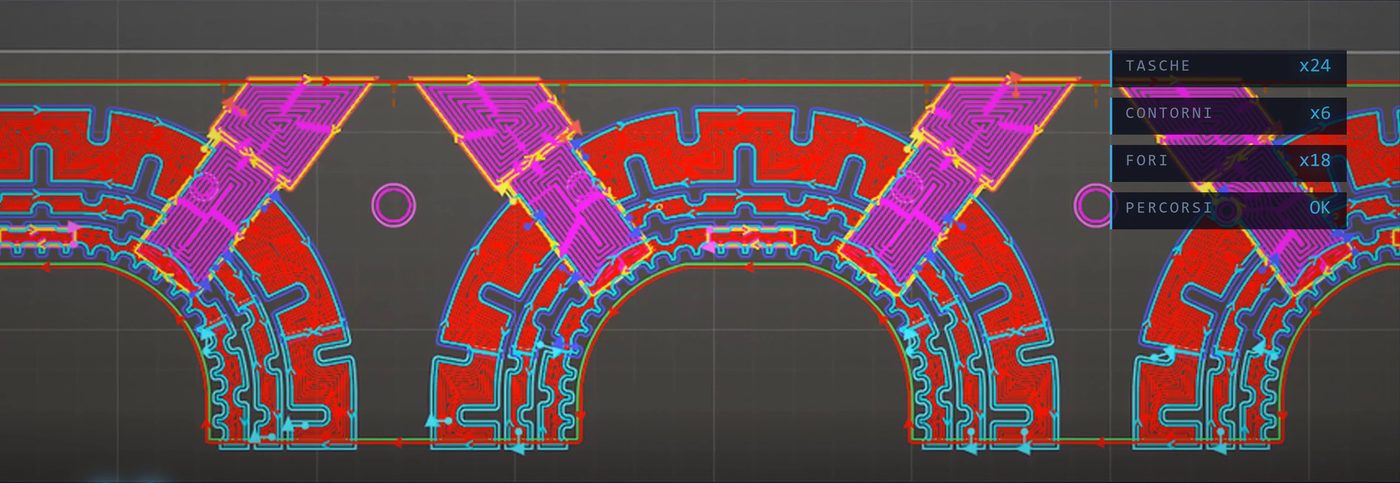
Calculated tool paths: pocket clearing, contours, and holes
Cutter paths: pockets, contours, holes

EAC Render

2D drawing and 3D view, without AutoCAD

A CAD that works like AutoCAD, with the part in 3D: rotate it, section it, check geometries and machining operations before going to the machine. Opens DWG files without needing AutoCAD and STEP files from customers.

  • AutoCAD DWG from R13 to 2018
  • Sections, dimensions, front view, side view, and isometric view
  • Exports STL, OBJ, STEP, and images
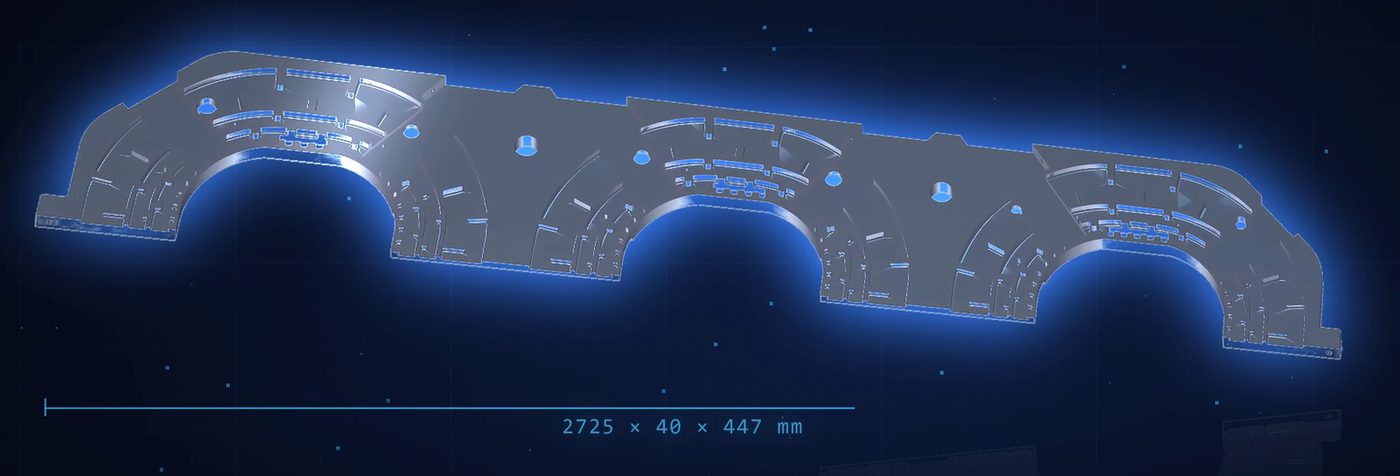
Part in 3D viewed in perspective
The part in 3D, 2725 × 447 × 40 mm

EAC Transform

Transforms files into ready-to-use drawings

The converter: from PDF, STEP, ARD, DXF, and SCDOC to clean ARD or DXF drawings, ready for machining. With WORK, combine, extend, and divide parts of a drawing. The original is never touched.

  • CAD PDF → drawing with real dimensions
  • Reads ARD without other programs installed
  • Checks coincident edges, divides with a straight line
Ready part drawing with colored layers
From customer file to ready-to-use drawing

AlphaPilot Pro

All four programs. No other software.

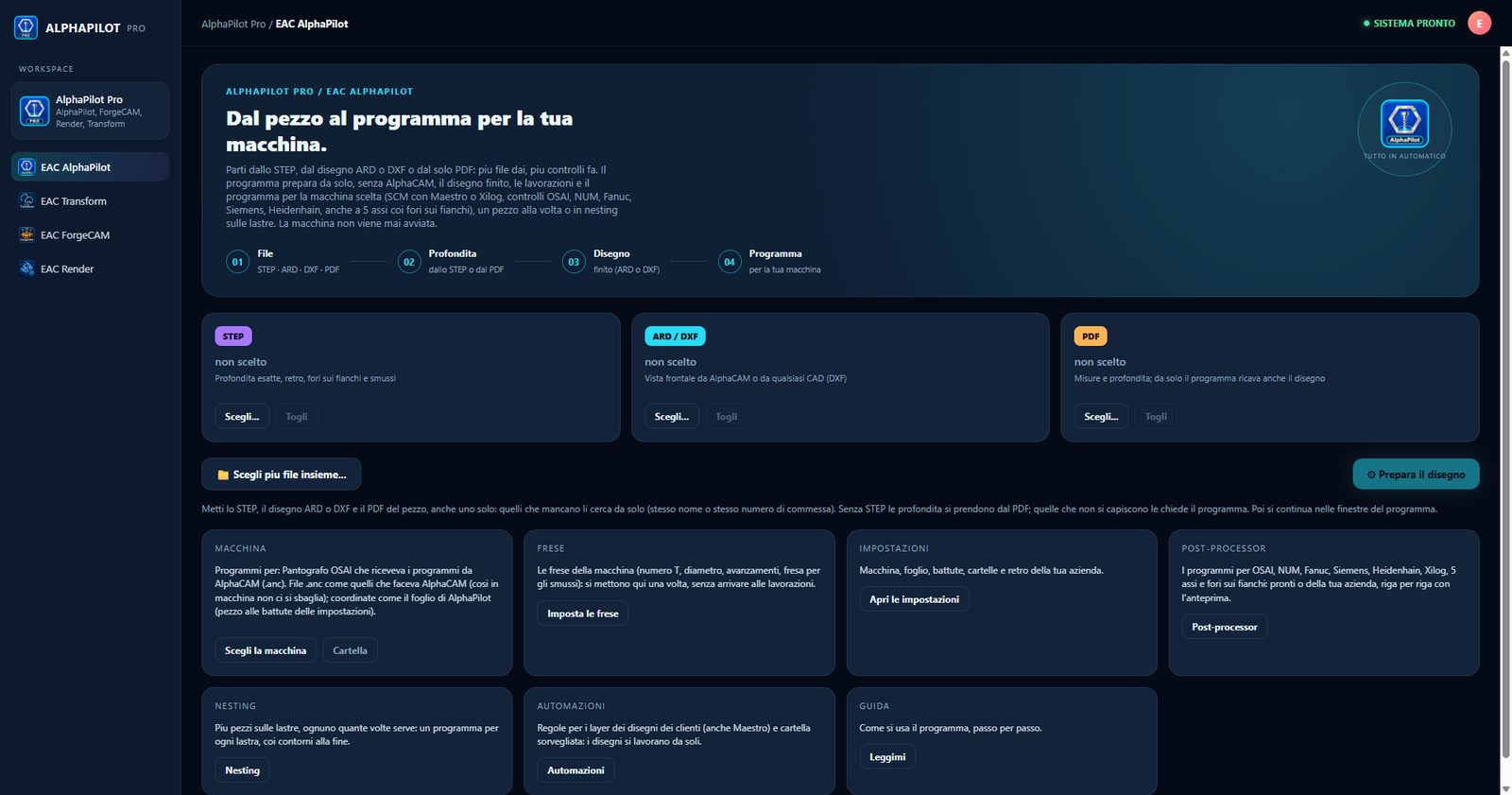
AlphaPilot Pro does everything automatically: from part to program for your machine, one part at a time or nesting on sheets. This is its window.

AlphaPilot Pro window: left bar with EAC AlphaPilot, Transform, ForgeCAM, and Render; center with file selection for STEP, ARD/DXF, and PDF, plus Machine, End Mills, Settings, Post-processor, Nesting, and Automations tabs
AlphaPilot Pro: the page where every part starts

The machines you have

CNC routers and machining centers, laser cutting, plasma cutting, CNC lathes, and stone and marble processing. Configuration varies by model and control: consult the verification list for each technology.

Post-processor without programming

Over 15 ready-made postprocessors, including 5-axis. Change them line by line with program preview next to it, or align with a program made on your machine.

Nesting on sheets

More pieces on the sheet, each as many times needed: one program per sheet, cutter per cutter, with contours at the end yielding smaller parts.

Monitored folder

Place a drawing in the folder and it automatically becomes finished drawing, program, machined drawing, and job card. Layer rules read customer drawings and Maestro's.

Side holes and 5 axes

Side holes from STEP are machined by the machine: with drilling group or 5-axis head (inclined plane Fanuc, Siemens, Heidenhain).

3D surfaces

Ramps, grooves, and domes from STEP: roughing in levels and finishing with ball cutter, without entering walls.

Sheet simulation

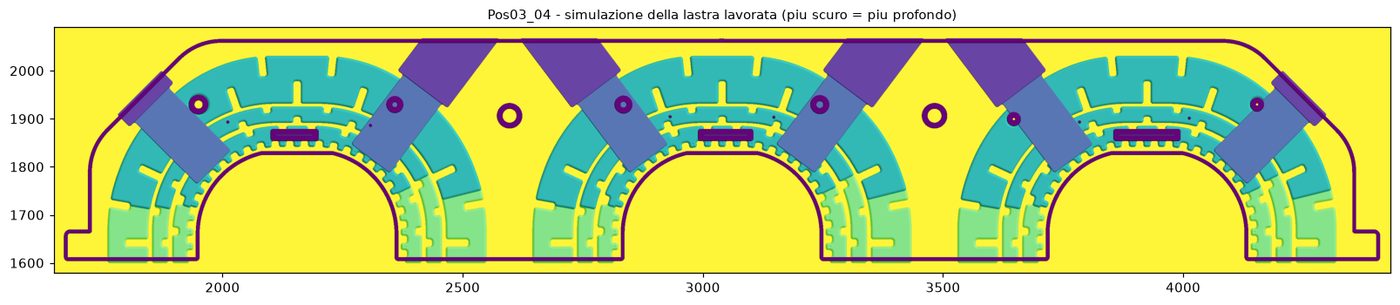
Every real move simulated in 3D: no rapid in material, no cut deeper than allowed, remaining material, and unmachined zones.

Job card

Sheet, zero, cutters to mount, operations, times, and warnings. Plus machined drawing in ARD or DXF, openable in any CAD/CAM.

AlphaPilot Pro's automatic flow changes with selected technology: milling, cutting, turning, or stone processing. The list of available operations and verified postprocessors is completed for each machine.

Simulation of machined sheet: darker means deeper
Sheet simulation made by AlphaPilot Pro (darker = deeper)

The machines you have

Works with your machining technology.

EAC CNC supports pantographs and machining centers, laser and plasma cutting systems, CNC lathes, and stone and marble machines. Select your machine at the start: the software presents compatible operations and generates the program via the postprocessor configured for its control. You can save multiple machines and choose which to use for each job.

Draft under review: we will publish only models, controls, and postprocessors that have been tested.

EAC ForgeCAM

Drawing and CAM for every technology

Operations present in the AlphaPilot Pro 1.1 guide. Model and control sheets remain to be tested.

TechnologyDrawing and CAM operations
Pantographs and Machining Centers2D and 3D drawing, pockets, contours, holes, nesting, and multi-axis operations.
Laser cuttingClosed shapes, marking, clamps, micro-joints, grooves, and cutting parameter table.
Plasma cuttingCutting, marking, perforation, torch height, edge rings, and small holes.
CNC LathesFacing, roughing, finishing, grooving, threading, drilling and turning.
Stone and marbleCutting with blade, milling, edge polishing, dropper and 3D machining.

Videos

AlphaPilot Pro in 40 seconds.

Products and prices

Choose what you need. Launch prices.

One-time license purchase plus monthly fee. The launch price applies to the first customers.

EAC Transform

Transform STEP, ARD and PDF into ready drawings.

990 €at launch

then 1.490 €

+ 19 €/month

  • EAC Transform
Request

EAC Render

2D drawing like AutoCAD, with 3D view.

1.490 €at launch

then 1.990 €

+ 29 €/month

  • EAC Render
Request

AlphaPilot Start

Ready drawing and machining operations within your CAM software.

5.490 €at launch

then 7.490 €

+ 129 €/month

  • EAC AlphaPilot
  • EAC Transform
Request

EAC ForgeCAM

A complete CAD/CAM: no other program needed.

6.990 €at launch

then 8.990 €

+ 149 €/month

  • EAC ForgeCAM
Request
What's includedTransformRenderAlphaPilot StartForgeCAMAlphaPilot Pro
STEP, ARD, DXF, PDF conversion into ready drawings✓—✓—✓
2D drawing like AutoCAD and 3D view, DWG without AutoCAD—✓——✓
Finished drawing and automatic machining operations——in your CAM—✓
Complete CAD/CAM, manual drawing and machining———✓✓
Machine program (post-processor)——from your CAM✓✓
Nesting, monitored folder, simulation————✓
Need another CAM softwarenonoyes, any onenono

Technologies and modules

What each product includes

The prices above remain unchanged. Coverage of new technologies and any additional modules will be confirmed after testing in the software and on machines.

TechnologyAlphaPilot ProAlphaPilot StartForgeCAMAdditional module
Pantographs and Machining CentersIncluded in current siteIn your CAMIncluded in current siteTo verify by model
Laser cuttingTo verifyTo verifyTo verifyTo be defined
Plasma cuttingTo verifyTo verifyTo verifyTo be defined
CNC LathesTo verifyTo verifyTo verifyTo be defined
Stone and marbleTo verifyTo verifyTo verifyTo be defined
Free trial on your own part.Send us a real part from your workshop, and we'll show you the result, live or remotely, before spending.
Request trial

Prices exclude VAT, per station. Installation and configuration on your machine included.

Real Case

A 2.7-meter piece. Days by hand, one minute with AlphaPilot.

Industrial part from STEP, prepared in a batch of 22 pieces. The images are the preview shown by the program before creating the drawing.

Finished part drawing: contour, pockets on four depths colored by layer, through holes, and arrows for side holes
  • 2725 × 447 × 40mm, three sectors with comb teeth
  • 51closed pockets at 4 depths
  • 15 + 3through holes of 7 diameters, plus 3 slots
  • 12side holes, 4 inclined
  • 2rear pockets with R15 fillet
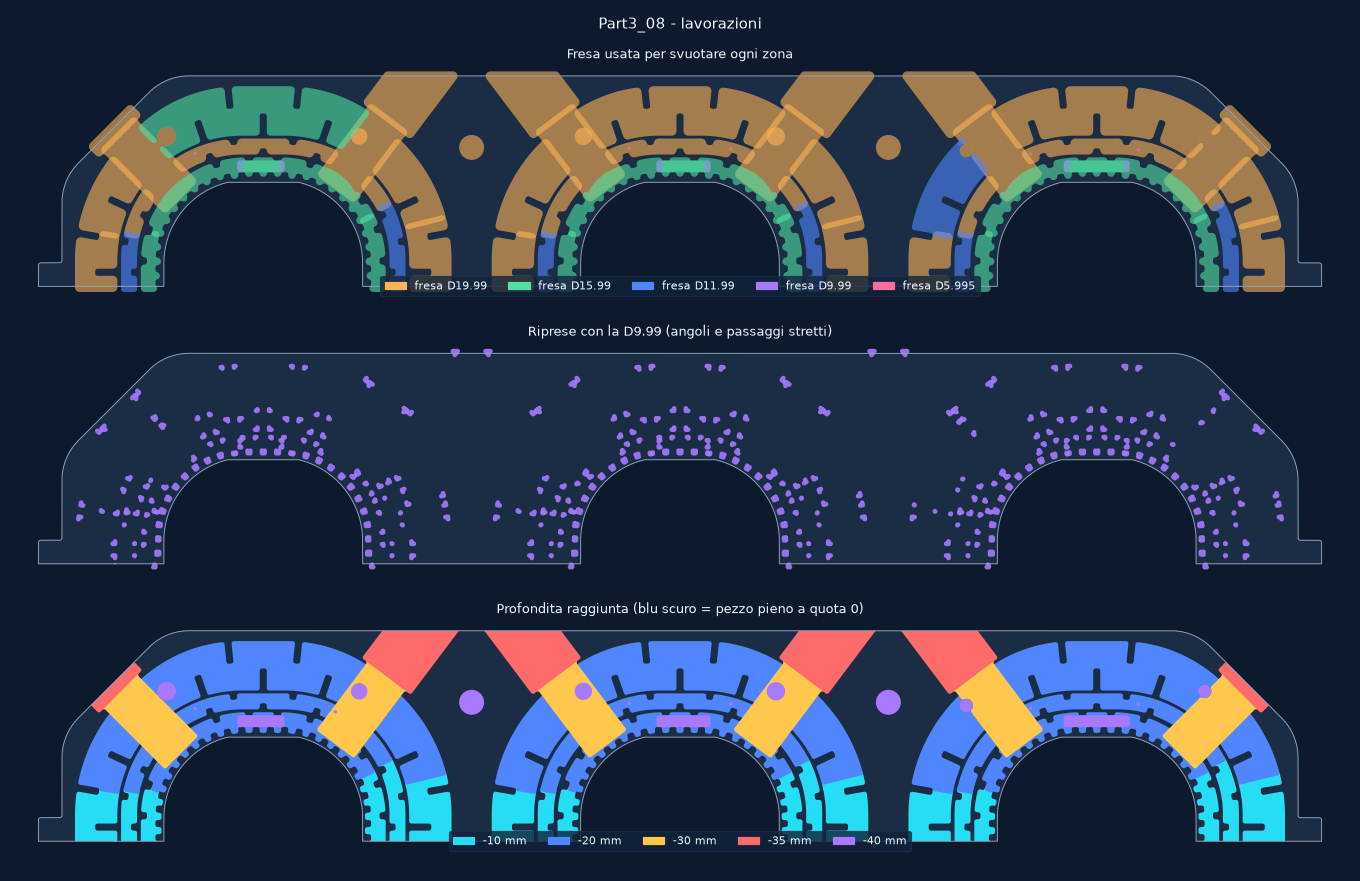
  • 436paths, 5 end mills, approx. 120 min machine time
Average operator
4–7 days
Expert operator
2–3 days
AlphaPilot
~1 min + verification

Estimated manual times starting from the PDF alone. AlphaPilot time is measured; operator verification remains.

"Two drawings ready in a few minutes. By hand, one would have taken weeks."

Technical materials machining workshop, first client

You stay in command

It cuts drawing time, while keeping you in control.

EAC programs prepare, you decide. Every dangerous step remains in the operator's hands.

  • They never start the machineyou load the program. The first time with every machine, zero, cutters, and header are checked, and an air test is performed.
  • They never overwrite anythingif the file already exists, they save _2, _3… The client's original remains as is.
  • They don't guesswhat is unsafe they ask you about, and what a cutter cannot reach is marked CONTROLLABLE.
  • They check everythingburrs, remaining material, unworked areas, jaws touched by the cutter, before writing the program.

Do the math

How much does it cost you today to draw by hand?

Move cursors with your workshop's numbers.

With AlphaPilot we count 30 minutes of check per drawing.

Hours saved per month75
Monthly savings2.250 €
Annual savings27.000 €

Requirements

What you need to use them.

Computer
Windows 10 or 11. Windows uses WebView2, which is already present in Windows.
Other software
No other drawing or CAM program is needed: AlphaPilot Pro, ForgeCAM, Render and Transform do everything on their own. Only AlphaPilot Start works inside the CAM you are already using.
Machine
CNC routers / pantógrafos CNC and machining centers with OSAI, SCM (Maestro, Xilog), NUM, Fanuc, Siemens, Heidenhain or G-code control. We configure it during installation.
License
Internet to activate it the first time; then it also works offline for up to 7 days in a row. It can be moved to another PC.

Questions

Frequently asked questions.

Does it work with my machine?

It depends on the model, control and postprocessor. Consult the technology sheets: for each one we will publish the list of tested models and controls. If your machine does not appear, write to us with brand, model and control for a verification.

What is the difference between AlphaPilot Start and AlphaPilot Pro?

Start works within the CAM software you already use: it prepares the finished drawing and machining operations, and you write the machine program from there. Pro requires no other software: it includes ForgeCAM and Render and writes the machine program on its own, with nesting, automations, and simulation.

Does it write the program for my machine?

Yes, with AlphaPilot Pro and ForgeCAM: OSAI (also .anc), SCM with Maestro or Xilog (.xxl), NUM, Fanuc, Siemens, Heidenhain, G-code, and custom postprocessors. The machine is never started: you load and test the program.

Do I need STEP files?

No. With STEP you get the best results (exact depths, backs, side holes, chamfers). With only ARD, DXF, or PDF, the program reads what can be understood with certainty and asks for the rest in a window where you click zones and choose depths.

Does it work with a scanned PDF?

A PDF exported from CAD is required, i.e., made of lines. A scan is an image and cannot be measured precisely.

Does it use the cutters I have?

Yes. During installation, we enter your table: position in inventory, corrector, diameter, useful length, feeds. You can remove cutters you don't have, and choices are remembered.

Are my clients' drawings kept confidential?

Yes. Programs run on your PC; files are not sent anywhere.

What does the monthly fee include?

It keeps the license active and includes updates and support. From the License page, you can also move the program to another PC.


Contact Us

Send us a part. We'll show you the result.

Tell us what you machine and with which machine. We'll respond to organize a free trial on your drawing.